Back to module list
EnlaceContable Accounting
Generation of .DAT files for A3 Accounting with quarterly invoice export, VAT breakdown and file history.
What it does
EnlaceContable generates accounting export files in .DAT format compatible with A3 CON directly from Dolibarr.
How it works
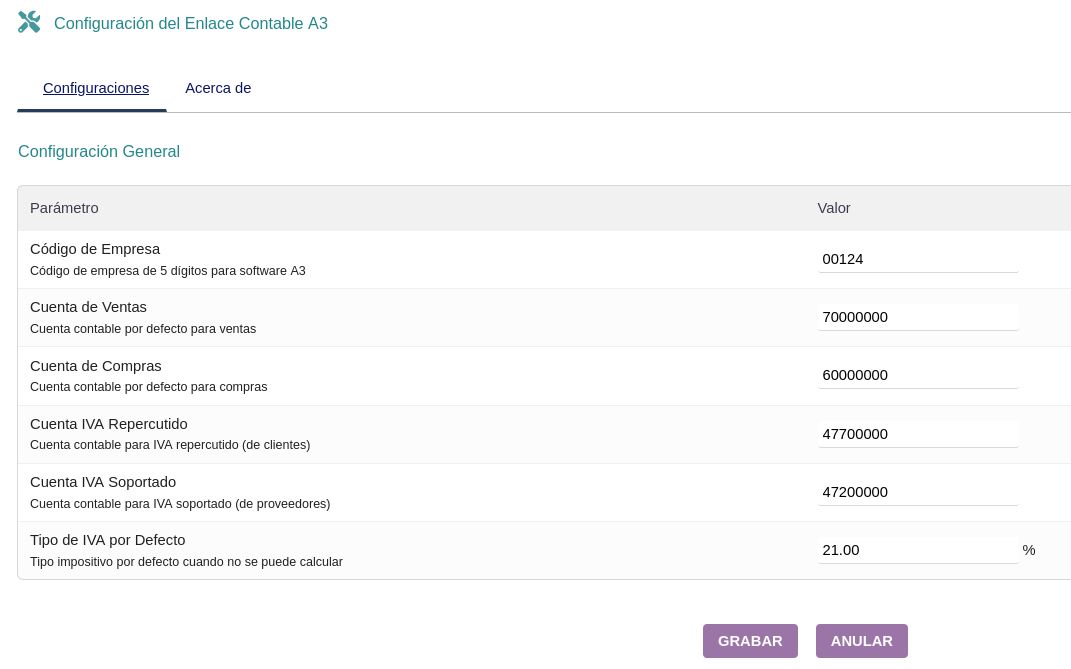
- In the configuration, define the company code, sales, purchase, output/input VAT accounts and default VAT rate
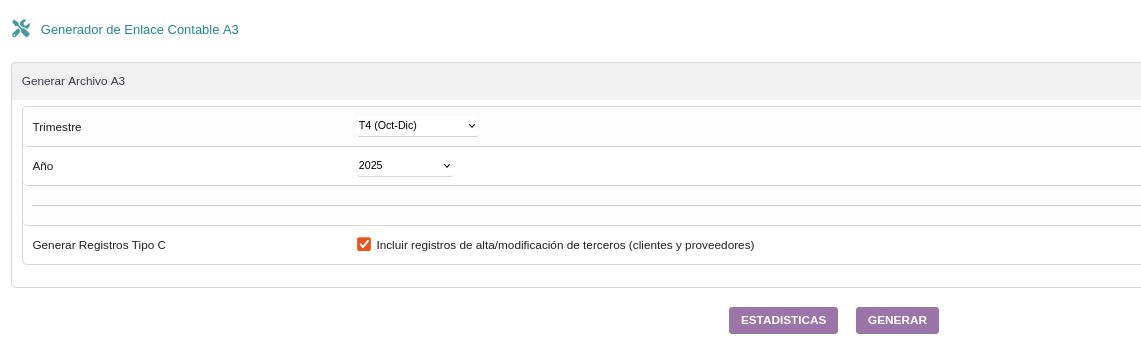
- Go to the A3 CON Link Generator
- Select the quarter (Q1 to Q4) and year to export
- Optionally enable Type C Record generation to include third party creation/modification records
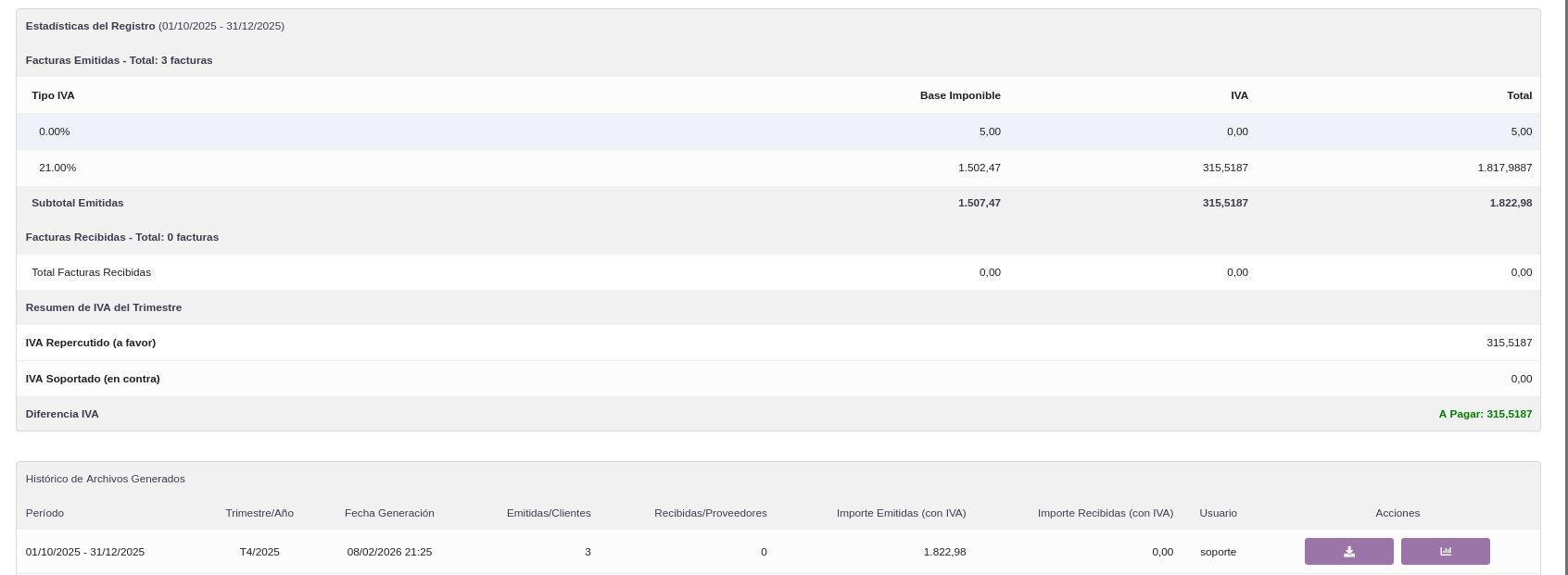
- Click "Statistics" to review the breakdown of issued and received invoices by VAT type
- Verify the quarterly VAT summary (output, input and difference)
- Click "Generate" to create the A3-compatible .DAT file
- Download the generated file (SUENLACE_date.DAT format) from the file history
Benefits
- Eliminates double entry of accounting data between Dolibarr and A3
- Automated quarterly generation with a single click
- Breakdown of issued and received invoices by VAT type
- Period VAT summary: output, input and difference payable/refundable
- Optional inclusion of Type C records (customer and supplier creation)
- Complete history of generated files with statistics and download
- Compatible with the Spanish chart of accounts
Technical sheet
Generates A3 CON compatible .DAT files grouping issued and received invoices by quarter, with VAT breakdown, optional third party records and a complete export history.
Base configuration
- Set the 5-digit company code for A3.
- Define default accounting accounts: sales, purchases, output VAT and input VAT.
- Set the default VAT rate when it cannot be calculated.
Variables and parameters
- Company code (5 digits) for A3 identification.
- Accounting accounts: sales (70000000), purchases (60000000), output VAT (47700000), input VAT (47200000).
- Default VAT rate (percentage applied when it cannot be determined).
- Option to generate Type C Records (third party creation/modification).
Recommended flow
- Configure general parameters: company code, accounting accounts and default VAT rate.
- Select quarter and year in the A3 Accounting Link Generator.
- Enable the Type C Records option to include customer and supplier creation records.
- Review statistics: issued and received invoices, breakdown by VAT type and quarterly summary.
- Generate the .DAT file and download it from the generated file history.
- Import the file into A3 Accounting.
Screenshots

Try EnlaceContable in our demo
Access the demo
Log in with demo.200 / demo.200 or demo.201 / demo.201