Back to module list
iPOS POS
Point of Sale terminal integrated in Dolibarr with store and restaurant mode, room, table, bar, delivery management and multiple terminals.
What it does
iPOS is a complete Point of Sale terminal integrated in Dolibarr.
How it works
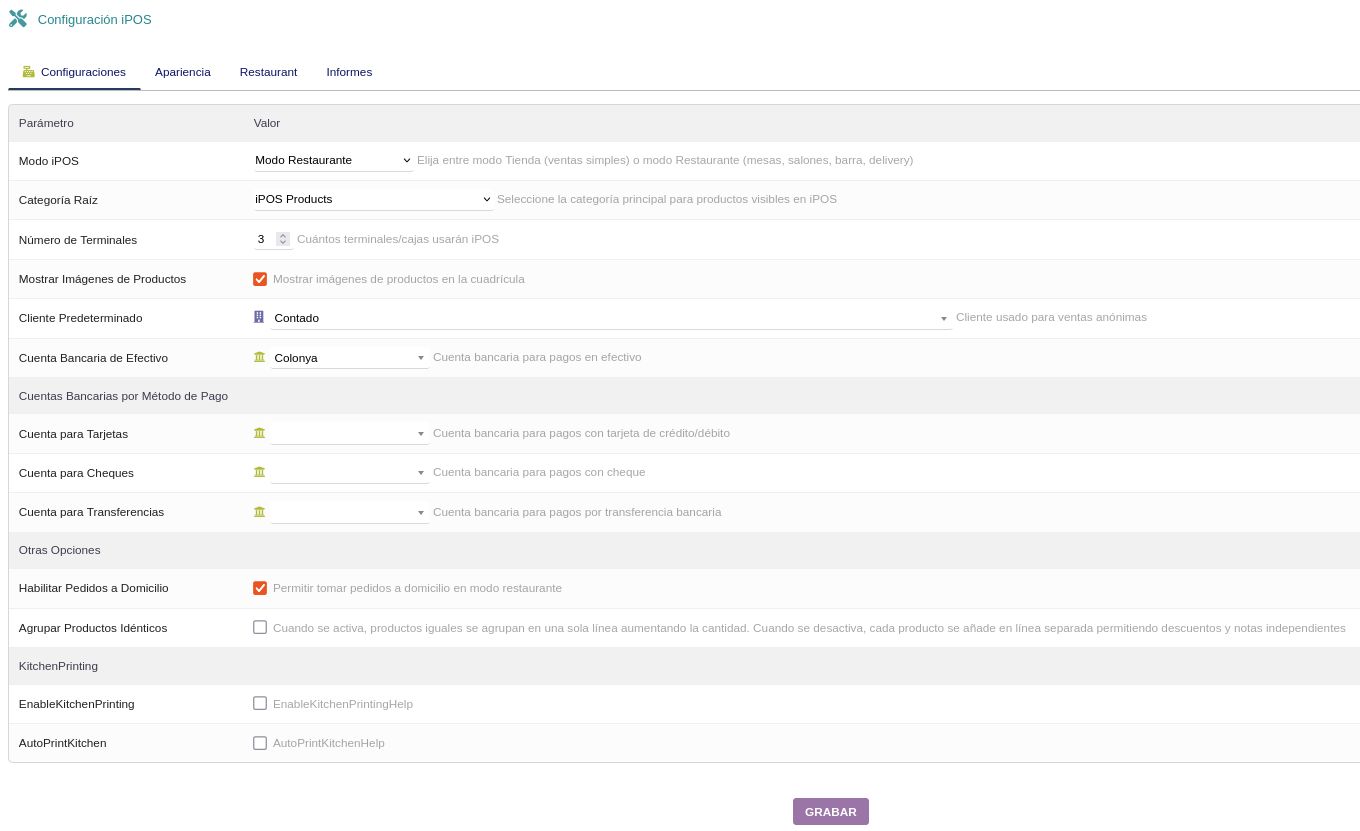
- In the configuration, select the operating mode: Store (simple sales) or Restaurant (tables, rooms, bar, delivery)
- Define the product root category, number of terminals and default customer for anonymous sales
- Configure bank accounts per payment method: cash, cards, cheques and transfers
- Enable additional options: delivery orders, identical product grouping and kitchen printing (KitchenPrinting)
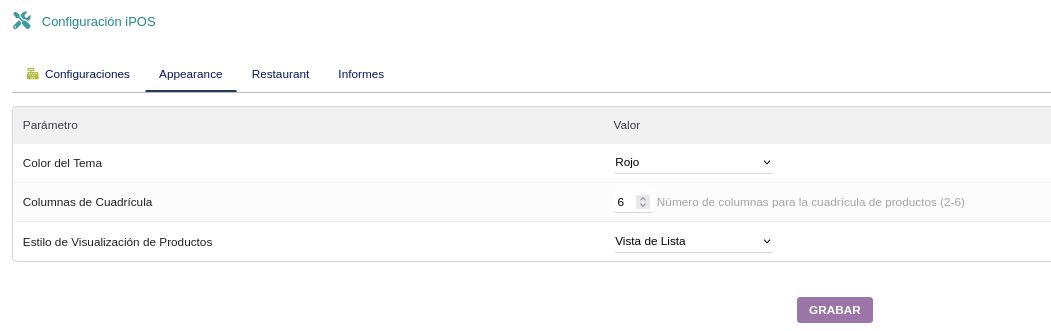
- Customize appearance: theme color, grid columns (2-6) and product display style
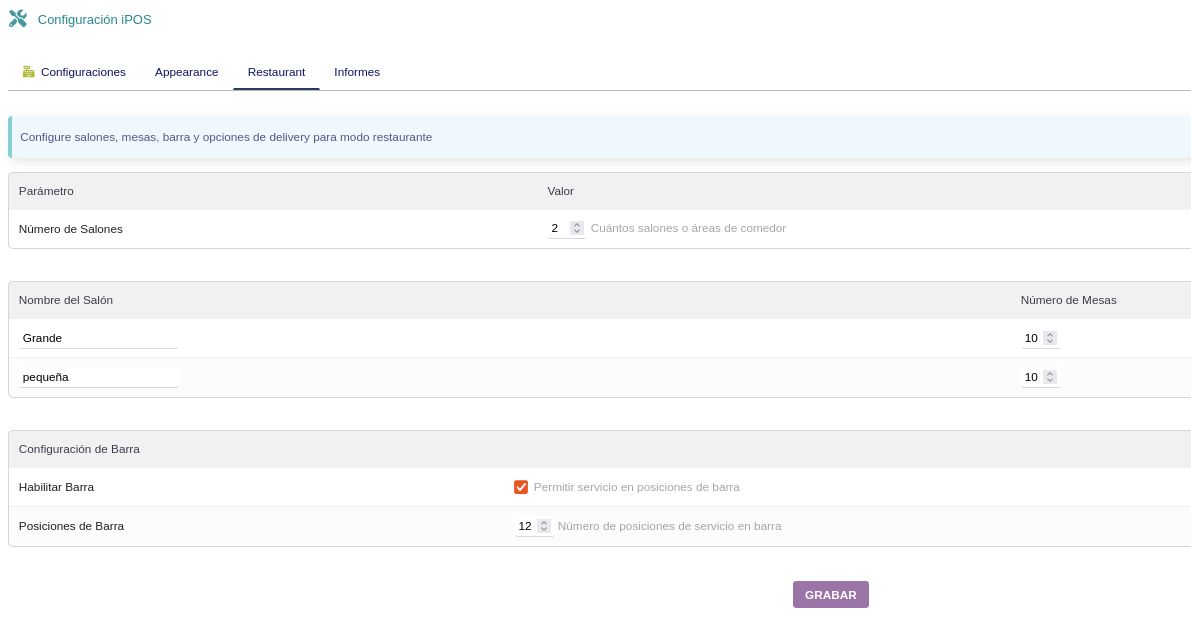
- In restaurant mode, configure rooms (name and number of tables) and bar positions
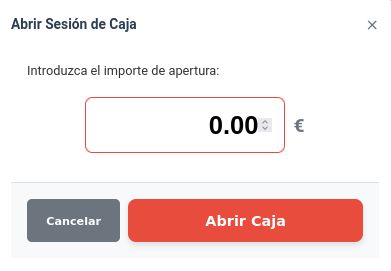
- At startup, the cashier opens a cash session entering the opening amount
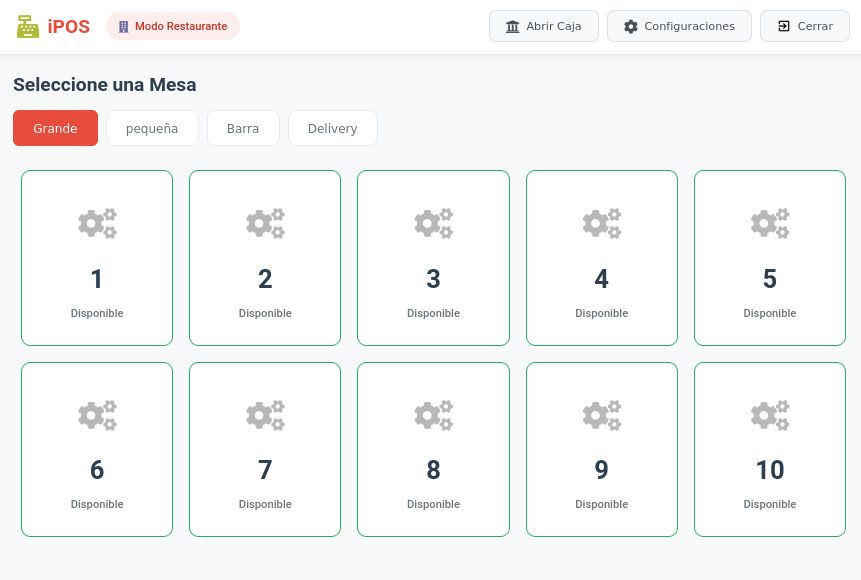
- Select a table from the desired room (Grande, pequeña, Bar or Delivery) and add products to the order
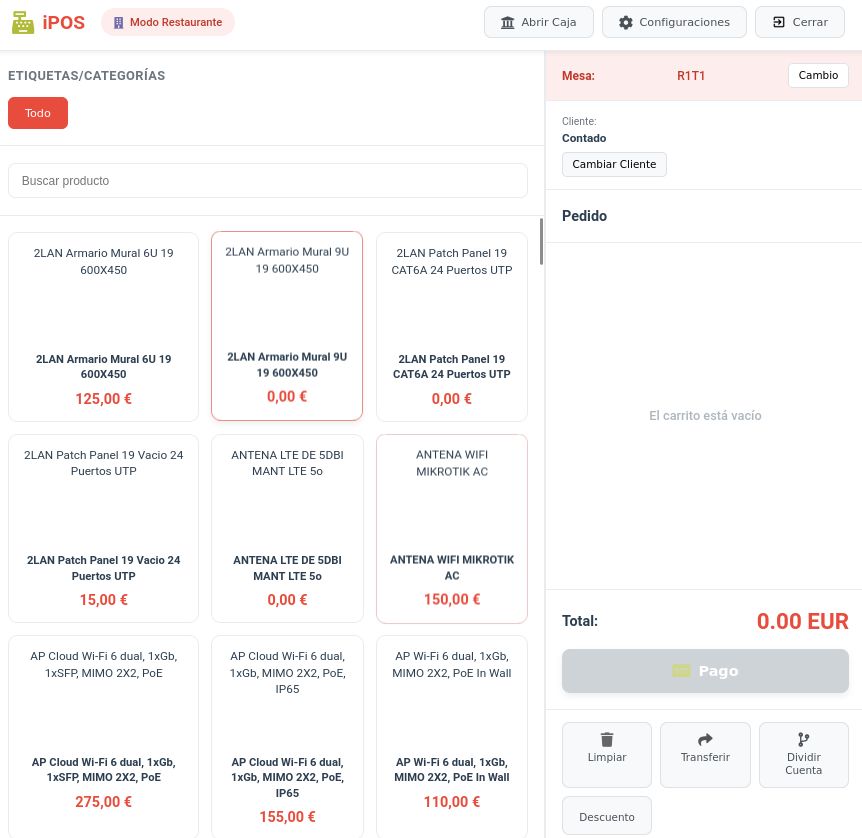
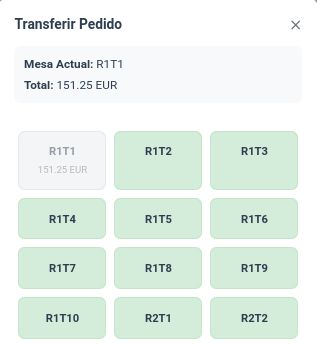
- From the order screen, search products by name or category and manage the cart with options to clear, transfer table, split bill and apply discounts
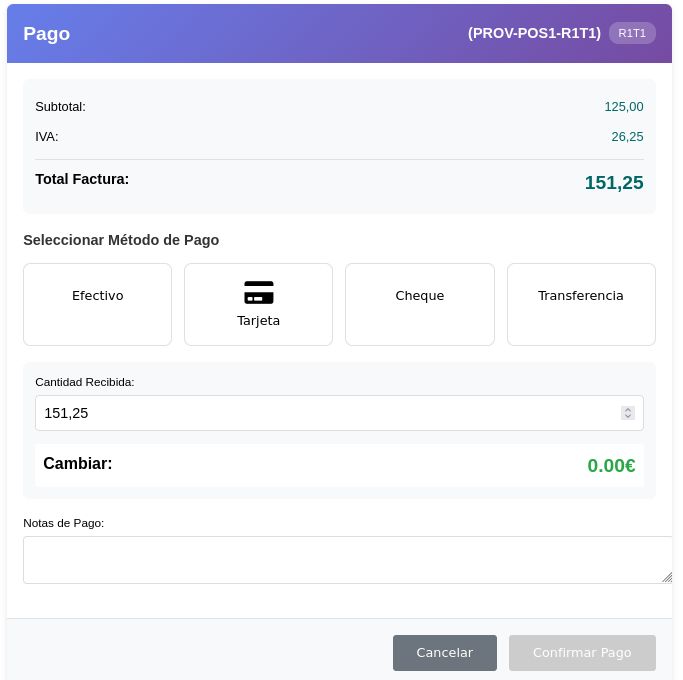
- To pay, select the payment method (Cash, Card, Cheque or Transfer), enter the amount received and confirm payment with automatic change calculation
- Orders can be transferred to another table in any room at any time
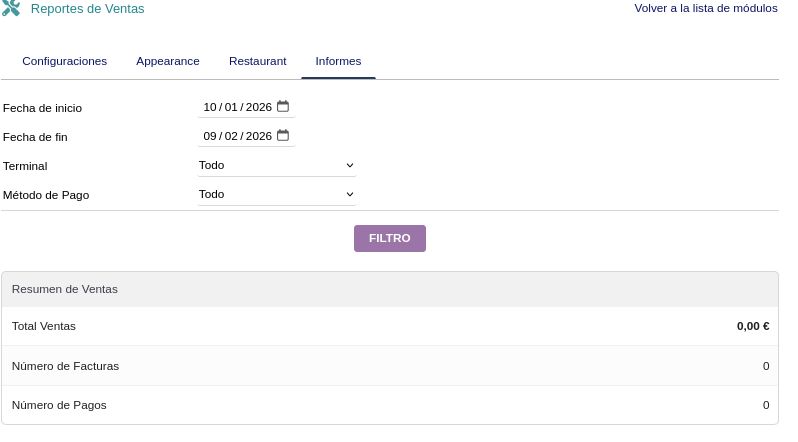
- View sales reports filtered by date, terminal and payment method
Benefits
- Modern and intuitive interface adapted for touch screens
- Two operating modes: store for retail and restaurant for hospitality
- Visual table management by room with real-time status (available/occupied)
- Bar service with configurable positions for quick service
- Delivery order support
- Multiple payment methods with independent bank accounts (cash, card, cheque, transfer)
- Order transfer between tables and rooms
- Bill splitting and discount application
- Kitchen printing (KitchenPrinting) for restaurants
- Multiple simultaneous terminals per establishment
- Sales reports by period, terminal and payment method
Technical sheet
POS with store and restaurant mode, room and table management with visual status, product grid, multiple payment methods, order transfer, bill splitting and sales reports.
Base configuration
- Select operating mode (Store or Restaurant) and product root category.
- Define number of terminals, default customer and bank accounts per payment method.
- Configure appearance: theme color, grid columns (2-6) and display style.
- In restaurant mode, define rooms with number of tables and bar positions.
- Enable options: delivery orders, product grouping and kitchen printing.
Variables and parameters
- Operating mode: Store (simple sales) or Restaurant (tables, rooms, bar, delivery).
- Bank accounts per payment method: cash, cards, cheques, transfers.
- Appearance: theme color, grid columns (2-6), display style (list/grid).
- Rooms (name and number of tables) and bar positions.
- Order options: identical product grouping, delivery orders, kitchen printing.
Recommended flow
- Administrator configures mode, terminals, bank accounts, appearance and rooms/tables.
- Cashier opens a cash session with the opening amount.
- In restaurant mode, selects room and table; in store mode, starts a direct sale.
- Adds products to the order from the grid or search, with discount and bill splitting options.
- Can transfer the order to another table in any room if needed.
- Collects payment by selecting the method and confirming with automatic change calculation.
- Views sales reports by period, terminal and payment method.
Screenshots
Try iPOS in our demo
Access the demo
Log in with demo.200 / demo.200 or demo.201 / demo.201